The all-in-one GunZ toolkit: a combat overlay, a cheater blocker and a live global ranking. Download it free and play — Premium is there when you want more.
One file. Nothing to unzip, nothing to install.
Three core systems
Overlay. Protection. Rankings. Everything you need, in one app.
Your damage the moment it lands, floating numbers, 900+ crosshairs and tools to make GunZ run and look the way you want.
Learn moreStops cheater attacks before they reach your game: crash attempts, forged damage and spam. On by default.
Learn moreEvery match you play counts. A rating that updates every few minutes, with damage, aim and win stats you can compare.
Learn moreFree essentials included
A better GunZ from the first match. No payment, no account, no expiry.
Cheater blockerFREE
It works like a firewall for your matches: cheater attacks are stopped before they reach your game, and normal play goes through untouched. It never reads or changes the game's memory and injects nothing into GunZ.
How it protects youLive rankingFREE
Every match played with the app counts toward one global ranking, updated every few minutes. Your rating moves with who you beat — and your damage and aim show how you won.
| # | Player | Rating | Damage eff. | Aim score | K/D |
|---|---|---|---|---|---|
| Loading the board… | |||||
Premium unlocks
Everything that colours, sizes, stacks or animates your numbers — plus your team's damage, chat translation, round reports and the VPN. Every number comes from what the game itself reports.

Try them in real time: click a style and watch it land in the preview. These are the effects of Damage Effects 2.0, frame for frame — seven styles, each with its own lettering, sounds, MAX HIT banners and death skull.
Frames recorded from Damage Effects 2.0 itself, played back over a picture of the game: the numbers, banners and kill skull exactly as the program draws them — shown larger here than in a match, so they can be seen.
Electric, Plasma, Fire Burst, Ice Shatter, Deadly Venom, Golden Light and Dark Force — each in its own lettering, with its own sounds.
Small hits are just the number. Keep landing them and the effect joins in, then peaks. A max hit gets its own moment — and a second one says MAX HIT X2.
Finish them and a skull appears over the number, then shatters. Show it for your kills, or for assists too.
3D placement puts the numbers just over the player you hit, or where your hit landed. They follow, shrink with distance and fade behind walls.
Your damage tally, the team panel, chat, the round report and the message box all take on the effect's look.
The numbers size themselves to your game's resolution, so they look right at 1920×1080 and 1280×720 too.
Part of Premium: a separate download of about 27 MB from inside the app. It needs a good PC, so it asks before it switches on — and the classic numbers stay one click away.
Free for everyone · new in 2.0
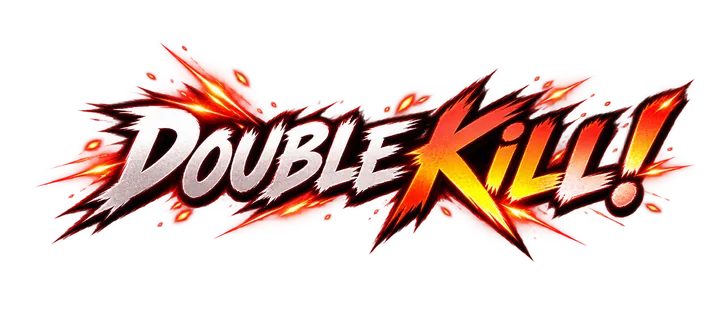
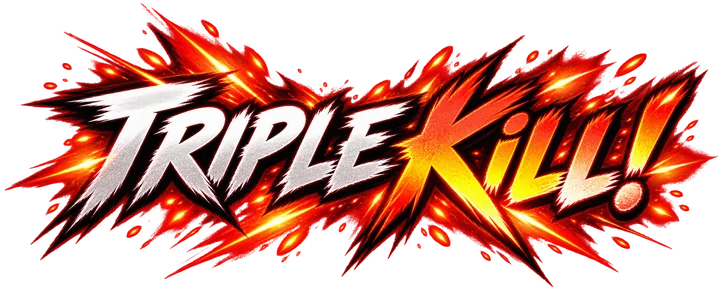
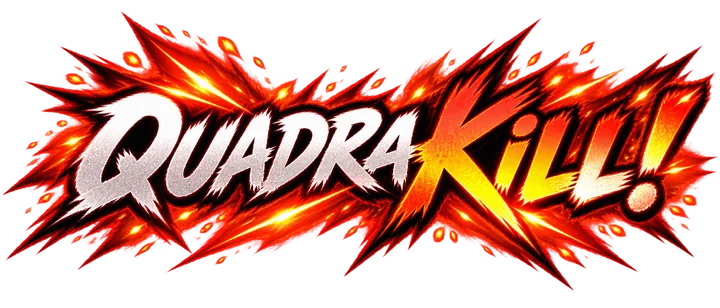
Double kill, triple, quadra, penta — and legendary past five. An announcer calls it and a banner slams across the top of your screen, harder with every kill.


Live preview
The preview is the overlay itself, scaled into the window — the same numbers, colours and animations you get in a match.
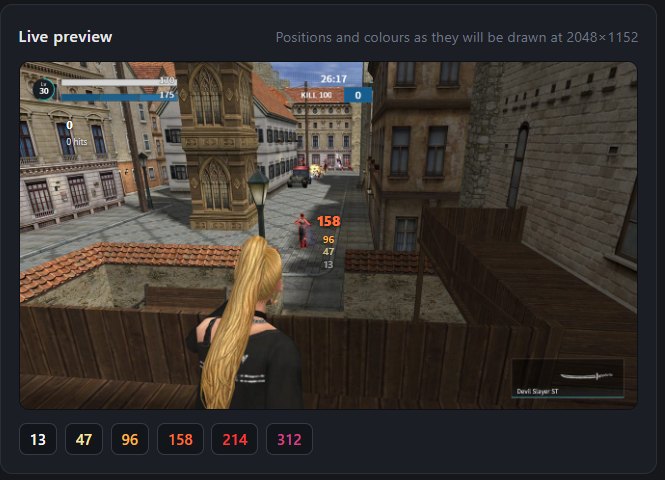
Built around the shotgun
About 13 damage is one pellet and twelve pellets is a full blast, so every 13 points of a hit is a visibly different colour. The colour of a number tells you roughly how many pellets landed, without reading the figure at all.

Free for everyone
The settings that live in your graphics card rather than in GunZ, as two switches instead of a tool you have to go and find.
Also in the app
Minimise the window into the system tray, beside the clock, instead of leaving it on the taskbar. Off until you switch it on in Quick Settings.
For laptops and lower-end PCs
One switch in Quick Settings for anyone whose game loses frames with the overlay on. Everything still works; it is drawn more lightly.
See it for yourself
Settings → Diagnostics → Run benchmark. About 90 seconds, and you do not need the game open.
New in 2.0
The app and the overlay in the game now speak English, Spanish, Portuguese and Korean. The first time you open it, it asks — with your computer's language already picked. Change it any time under Settings → Language.
Getting started
No installer, no account, no setup wizard.
One file. It asks for Administrator once, at the start.
The overlay appears over the game. The damage tally works straight away.
Arrange it in the live preview, or add a licence key for Premium.
Pricing
The damage tally and plain floating numbers are free forever, with no account and no connection. Everything that colours, sizes, stacks or animates those numbers is Premium.
No account, no connection, no expiry
A licence covers one computer and keeps working for 3 days at a time without an internet connection. Changed your hardware, or reinstalled Windows? Move it to another computer yourself.
Straight answers
This matters more than any feature above, so it is said plainly rather than buried.
FAQ
Nothing is written to the game, injected into it, or read out of its memory, and the game is never sent anything. It is a separate program that runs beside GunZ and leaves it completely alone. That said, no one but the people running your server can tell you what their rules are — if you are unsure, ask them first.
Not every time. Your licence is checked online when a connection is there and keeps working for 3 days at a time without one. If you play with a connection even once a week you will never notice it happening.
It draws every hit with your graphics card, so it needs a good PC — and it asks before it switches on. If GunZ starts to stutter, switch on the Compatibility engine in Quick Settings, or lower its Refresh rate (under Show more). The Performance benchmark in Settings shows exactly what it costs on your PC.
Yes, at no extra cost. It is a separate download of about 27 MB from inside the app, so the app itself stays small for everybody else.
That is expected. A licence is tied to the machine you activated it on, and the signals that identify a machine are part of the Windows installation — reinstalling produces a computer we no longer recognise. Use Reset Device to free the old one, then enter your key again. Changing a disk, a graphics card or even a motherboard does not need a reset.
A licence covers one computer at a time. You can move it between machines yourself on the Reset Device page, up to three times a month. If you genuinely need two at once, ask in a ticket on the Discord server — multi-seat licences exist.
Press Get a licence above. You pay in
cryptocurrency on the payment provider’s own page — we
never see your wallet — and your key appears on screen as soon
as the network confirms, usually a few minutes. You type it into the
program on the Settings page, and that computer has Premium.
Would rather not use the website? Run /buy on the
Discord server and the key is sent to you in a
private message instead. Either way you can also open a ticket in
#support and a human will help.
The damage tally, the plain floating numbers and the cheater blocker keep working. They are free and they do not stop.
It was built and tested against one particular server, and others may behave differently. Try the free tier first — if the damage tally works, the rest will.
Pay in cryptocurrency and your key is on screen within minutes. Nothing to sign up for, and we never see your wallet.
You can also run /buy on the Discord server and have the key sent to you in a private message — or open a ticket in #support if you would rather talk to somebody.
